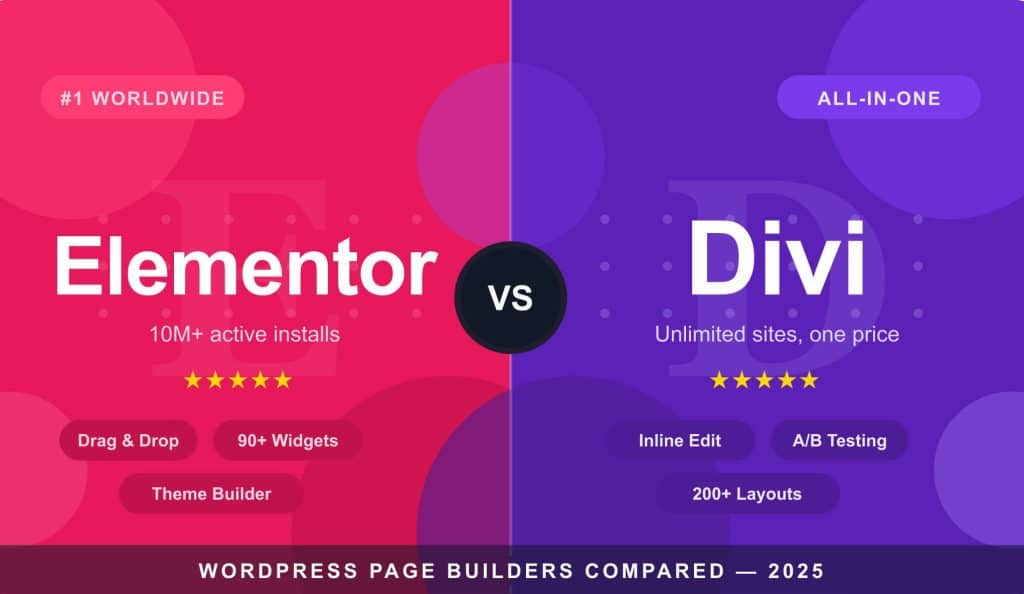
Building a website used to mean writing code. Today, WordPress page builders let anyone design stunning pages by dragging and dropping. But with so many options, which one is right for you — and why do Elementor and Divi keep rising to the top?
What is a page builder — and why does it matter?
A page builder is a visual editor that lets you design WordPress pages without touching any code. Instead of the default WordPress editor, you get a live preview canvas where you drag in sections, columns, images, buttons, and text — and see exactly what your visitors will see.
The right page builder can save dozens of hours, eliminate the need to hire a developer for basic design work, and give you full creative control over your site’s look and feel.
The top WordPress page builders compared
Most popular
Elementor
The world’s #1 page builder. Powerful, beginner-friendly, and endlessly extensible.
Best all-in-one
Divi
A full theme + builder combo. Ideal for agencies and freelancers managing multiple sites.
Beaver Builder
Stable, reliable, and loved by developers. Rock-solid for long-term client work.
Bricks
A performance-first builder gaining traction with advanced users and developers.
Why page builders beat coding from scratch
For most website owners — bloggers, small businesses, freelancers, marketers — page builders offer clear advantages over hand-coding or relying on a developer for every change.
Elementor: The world’s #1 WordPress page builder
Elementor didn’t become the world’s most popular WordPress page builder by accident. With over 10 million active installations, it has earned its reputation across every type of WordPress user — from complete beginners to seasoned developers.
A genuinely beginner-friendly interface
Elementor’s drag-and-drop editor is one of the most intuitive in the industry. You pick a widget from the left panel, drop it onto your canvas, and style it — all in real time. There’s no publish-preview-edit loop. What you see is what your visitors get.
An enormous library of widgets and templates
Elementor ships with 90+ widgets covering everything from basic text and images to forms, sliders, pricing tables, testimonials, and WooCommerce product grids. The Pro version adds even more, including a Theme Builder that lets you design your header, footer, single post layouts, and archive pages.
A massive ecosystem
Dozens of third-party add-on plugins (like Essential Addons, Happy Addons, and JetElements) add hundreds more widgets and effects. Thousands of premium template kits are available, and a huge community means help is always close by.
Flexible for both beginners and developers
Elementor exposes custom CSS fields, supports dynamic data, integrates with ACF and Pods, and offers a full developer API. It scales from a simple landing page to a complex membership site without needing to switch tools.
Essentially, Elementor works best because it allows you to build from scratch without any code. This is the main secret behind Elementor’s popularity. Even without custom code, Elementor’s speed is quite good, resulting in very fast website loading times. No coding is required; you can create beautiful visual designs using Flexbox. Additionally, it features live editing where you can easily keep two windows open to view changes in real-time, which makes clients very happy.
There are a vast number of templates and add-ons available, allowing you to easily build websites from thousands of ready-made designs, whereas custom coding requires much more effort. Responsive design is handled very easily. When building a website with Elementor, about 80% of the responsive design happens automatically. Since it is so easy to design with, we can also consider it cost-saving. It is very budget-friendly.
Furthermore, answers to some common questions about Elementor are provided below for your reference.
Elementor’s combination of ease of use, depth of features, massive community, and wide ecosystem makes it the safest and most powerful choice for the vast majority of WordPress users.
Elementor FAQ
Is Elementor free to use?
Yes — Elementor offers a solid free version available directly from the WordPress plugin repository. It includes 40+ basic widgets and core drag-and-drop functionality. Elementor Pro unlocks 90+ widgets, the Theme Builder, WooCommerce integration, and more, starting from around $59/year for a single site.
Does Elementor slow down my website?
Elementor has improved significantly in performance with its Container-based flexbox layout and asset optimisation. With a lightweight theme like Hello Elementor and good hosting, most sites perform very well. A caching plugin and image optimisation reduce any impact further.
Can I use Elementor with any WordPress theme?
Yes. Elementor works with virtually any well-coded WordPress theme. That said, Elementor’s own Hello theme is the recommended pairing — it’s lightweight, minimal, and designed specifically to let Elementor handle all the design work.
What happens to my pages if I deactivate Elementor?
If you deactivate Elementor, your pages will still exist but will display as raw, unformatted content — the visual layouts will be lost. This is true of all page builders. It’s worth keeping in mind if you ever plan to switch builders or themes.
Is Elementor good for WooCommerce stores?
Absolutely. Elementor Pro includes a dedicated WooCommerce Builder that lets you design custom product pages, shop archives, cart and checkout pages visually. Combined with add-ons like JetWooBuilder or Essential Addons, you can build highly custom eCommerce experiences without writing any code.
Divi: More than a page builder — a complete website ecosystem
Built by Elegant Themes, Divi is a theme, a builder, and a design system rolled into one. For those who want everything in a single package, Divi is a genuinely compelling option.
How Divi works
Divi can be used as a standalone theme or as a plugin alongside any existing WordPress theme. Its inline editing lets you click directly on any element and edit it right there — no separate sidebar required. The result feels fast and direct.
Key features that set Divi apart
Who is Divi best for?
Divi is particularly well-suited for freelancers and web design agencies who manage multiple client websites. Its unlimited site licence model means you pay once and deploy everywhere — far more cost-effective than per-site pricing at scale.
Now let’s look at Divi Builder. Although Divi Builder performs well, it isn’t quite close to beating Elementor. In the case of Divi Builder, the number of layouts is somewhat fewer than Elementor. While global changes can be made, it can be a bit challenging. However, there is an excellent built-in A/B testing system that allows you to compare your designs.
Regarding subscriptions, Divi Builder offers an unlimited site license, meaning one subscription allows usage on unlimited sites, which is a major advantage. Like Elementor, it allows you to easily design headers and footers. Similar to other builders, you can edit online and easily design anything without any custom code. In terms of flexibility, Elementor takes the lead because Divi Builder might feel difficult at first due to its more complex layout system.
Answers to more common questions about the Divi Page Builder are provided below for your reference.
Divi’s limitations
Divi’s interface can feel overwhelming to newcomers compared to Elementor’s more guided approach. Its code output tends to be heavier, which can affect page loading speed without careful optimisation. And because it’s tightly integrated with its own theme, switching away later can break your layouts.
Divi is a powerful all-in-one solution — especially for agencies managing multiple client sites. Its unlimited licence and built-in A/B testing are standout advantages. For ease of use and ecosystem breadth, Elementor still holds the edge.
Divi FAQ
Is there a free version of Divi?
No — Divi is a premium product with no free version. Elegant Themes offers it as part of an annual subscription (around $89/year) or a one-time lifetime access fee (around $249). Both options cover unlimited website usage, making it highly competitive for agencies and freelancers.
Can I use Divi Builder with a theme other than Divi?
Yes. The Divi Builder is available as a standalone plugin that works with other WordPress themes. However, the Theme Builder — for customising headers, footers, and post templates — works best when paired with the Divi theme itself.
How many websites can I use Divi on?
Unlimited. Both the annual subscription and lifetime access licence allow use on as many websites as you want. For agencies or freelancers with multiple client sites, this alone can represent significant savings over per-site pricing models.
Does Divi affect website speed?
Divi generates more code than some lighter alternatives, which can impact load times. With a caching plugin, image compression, and a CDN, fast Divi sites are absolutely achievable — it just requires a bit more deliberate optimisation.
What is Divi’s A/B testing feature?
Divi includes a built-in split testing tool called Divi Leads. It lets you test two versions of any page element — a headline, button, image, or entire section — and track which performs better based on conversions or clicks. Most other builders don’t include this by default, making it a strong selling point for marketers.
Elementor vs Divi: Head-to-head
| Feature | Elementor | Divi |
|---|---|---|
| Interface | Sidebar panel — easier to learn | Inline editing — feels more direct |
| Theme flexibility | Works with any theme | Best with the Divi theme |
| Pricing | Per-site licensing | Unlimited sites, one subscription |
| A/B testing | Requires a separate plugin | Built-in with Divi Leads |
| Community & add-ons | Massive ecosystem | Strong community, ET support |
| Performance | Optimised container-based output | Heavier, needs extra optimisation |
| Best for | Beginners, developers, most users | Agencies, multi-site managers |
The bottom line
Both Elementor and Divi are excellent page builders with loyal followings for good reason. Elementor wins on ease of use, ecosystem size, and theme flexibility — making it the best starting point for most people. Divi wins on value for multi-site managers and its all-in-one convenience. The right choice depends on how you work — but either way, you’ll be building better websites faster than ever before.