Running a successful blog involves more than just writing great content. To compete in today’s digital landscape, you need a site that is fast, secure, and optimized for search engines. Using the right plugins allows you to automate technical tasks so you can focus on your creative work.
The success of a blog does not depend solely on its articles; plugins play the biggest role in presenting a blogging site beautifully. This is because the importance of plugins for optimizing content after it is written is immense.
Based on industry standards and performance testing, here are the top 7 WordPress plugins every blogger needs.
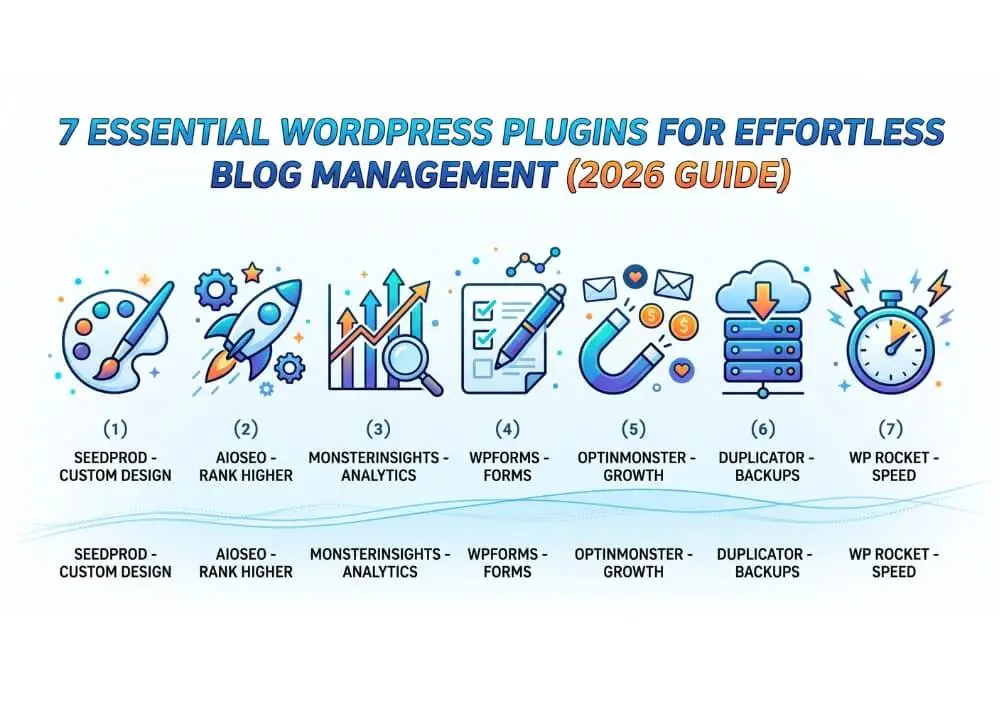
Quick Comparison: Top 7 Blogging Essentials
| # | Tool | Best For | Benefit |
| 1 | SeedProd | Custom Design | Build beautiful layouts without code. |
| 2 | All in One SEO | Search Rankings | Optimize posts for Google easily. |
| 3 | MonsterInsights | Analytics | See visitor data inside your dashboard. |
| 4 | WPForms | Reader Contact | Create simple contact and signup forms. |
| 5 | OptinMonster | Growth | Convert readers into email subscribers. |
| 6 | Duplicator | Site Security | Reliable backups and easy migrations. |
| 7 | WP Rocket | Speed | Make your blog load instantly. |
1. SeedProd WordPress Plugin: The Ultimate Design Freedom
SeedProd is a powerful drag-and-drop builder that replaces the need for complex coding. While WordPress offers basic editing, SeedProd allows you to create custom landing pages and entire blog themes visually. It is incredibly lightweight, ensuring that your beautiful design doesn’t sacrifice page speed.
Not only with Elementor and Divi Builder, a fantastic blog website can be created. Essentially, to build a website, a page builder is essential. Therefore, whether it’s a blog or an e-commerce website, you will first need a powerful page builder.
2. All in One SEO (AIOSEO): Rank Higher, Faster
Visibility is everything for a blogger. AIOSEO acts as your personal SEO consultant. It provides a clear checklist for every post, helping you optimize titles, meta descriptions, and social media snippets. Its “Link Assistant” feature is particularly useful for internal linking, which is a massive boost for your site’s authority.
You have a page builder, but now you need to optimize your blog article. Every blog post must contain your main keyword and focus keyword, which you will use to optimize your entire article. If the optimization score is 80+, your article will be indexed quickly by Google. You can perform this task using the All in One SEO WordPress Free plugin.
3. MonsterInsights: Data-Driven Decisions WordPress plugin
If you aren’t tracking your traffic, you’re blogging in the dark. MonsterInsights brings Google Analytics directly into your WordPress dashboard. Instead of navigating complex spreadsheets, you get simple reports showing which blog posts are your most popular and where your readers are coming from.
Your blog article is finished and published. Now you need to check which of your articles are performing well and which are performing poorly. To find this out, you will need the MonsterInsights plugin. With this plugin, you can easily check your website’s analytics.
4. WPForms: Connect with Your Audience
Building a community requires communication. WPForms plugin is the most beginner-friendly form builder available. Whether you need a simple “Contact Me” page or a detailed reader survey, its drag-and-drop interface makes it happen in minutes. It also integrates perfectly with email marketing tools. Next, you need to know who your regular subscribers are. For these subscribers, you will need a form, whether it’s built with Elementor or any other tool. Through this form, you can send your subscribers notifications and new updates.
5. OptinMonster: Grow Your Email List WordPress plugin
Most first-time visitors to a blog never return. OptinMonster changes that by using “Exit-Intent” technology to show a popup or offer exactly when a reader is about to leave. This is the gold standard for turning casual readers into a loyal email tribe. You collected the data (leads) via the form, and you will later email those leads to notify them of new article updates. The OptinMonster email plugin will help you with this.
6. Duplicator: Your Safety Net
Nothing is more heartbreaking than losing years of blog posts due to a server error or a hack. Duplicator allows you to schedule automatic backups and store them safely in the cloud (Google Drive or Dropbox). It also makes moving your site to a new host a seamless, one-click process. Suddenly, you might face a server error or a website issue. To protect against this, you should use the Duplicator plugin. Through this, you can maintain real-time backups on Google Drive or OneDrive.
7. WP Rocket: The Speed Specialist
In 2026, a slow blog is a dead blog. WP Rocket WordPress plugin is a premium caching plugin that instantly improves your site’s loading time. It handles technical optimizations like file minification and “Lazy Loading” for images, which keeps your readers happy and improves your SEO rankings. All things considered, if you want to keep your website fast, you must install WP Rocket. This is because WP Rocket is the best plugin for speed optimization, allowing you to make your website run at rocket speed.
Which Plugins Should You Choose?
You don’t need dozens of plugins to run a professional blog. Start with these seven to cover your design, marketing, and security essentials. By keeping your plugin count lean and high-quality, you ensure your WordPress site remains fast and easy to manage.
Pro Tip: Always keep your plugins updated to the latest version to ensure your blog stays secure and compatible with the latest WordPress core updates.
Frequently Asked Questions (FAQs)
- How many wordpress plugins should I install on my WordPress blog?
There is no “magic number,” but the general rule is to prioritize quality over quantity. Most successful blogs run between 15 to 20 plugins. Instead of worrying about the count, focus on using well-coded plugins like the ones listed above to ensure they don’t slow down your site.
- Will these plugins slow down my website?
Most of the plugins on this list, like SeedProd and WP Rocket, are specifically optimized for performance. However, always monitor your site speed after installing any new tool. Using a performance plugin like WP Rocket helps offset the “weight” of other features.
- Do I really need a paid plugin when free versions are available?
Free versions (like AIOSEO Lite or WPForms Lite) are excellent for beginners. However, as your blog grows, paid versions offer advanced features like automated internal linking, payment integrations, and premium support that can save you hours of manual work.
- Can I use two SEO or two Caching plugins at the same time?
No. Never use two plugins that do the same job (e.g., AIOSEO and Yoast, or WP Rocket and W3 Total Cache). This will cause technical conflicts, break your site’s layout, and significantly slow down your loading speeds.
- How often should I update my WordPress plugins?
You should check for updates at least once a week. Developers release updates to fix security vulnerabilities and ensure compatibility with the latest version of WordPress. Always remember to back up your site using Duplicator before running major updates.
- Is a backup plugin necessary if my hosting provider offers backups?
Yes. While host backups are great, they are often stored on the same server. If the server fails, you lose everything. Using a plugin like Duplicator allows you to store your backups in an independent location like Google Drive or Dropbox for total security.